XChat-WDK uses MySpell for spelling via the Enchant library. The required libraries are included in the installer, but the dictionaries are big so they are distributed in a separate installer. If you want to have spelling, just download and install the Spelling Dictionaries. They're from Debian Lenny. The notes about Aspell on the official site are irrelevant. Since XChat-WDK uses MySpell instead of Aspell, you don't need to install Aspell at all. 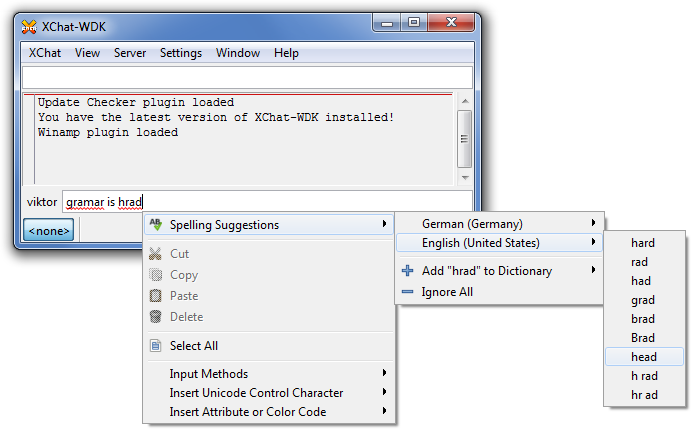 If you find better MySpell-compatible dictionaries than the ones found in the installer, you can easily update the installed ones, just simply overwrite them (they are in share\myspell\dicts). If they're not compatible with MySpell you'll know coz it will crash XChat-WDK :) You can specify the desired dictionaries under Prefereces/Input box. You need to specify their language codes which can be found in the share\myspell\dicts subfolder. By default it uses the LC_ALL environmental variable, or if it's unset, it falls back to en_US. Note: you have to restart XChat-WDK for the changes to apply. |